
 352-639-5270



Discover professional web design solutions tailored for small businesses on a budget.
The Value of Professional Web Design on a Budget
Affordable web design packages are essential for small businesses looking to establish a strong online presence without breaking the bank. Based on our research and industry experience, here's what you need to know:
Quick Answer: Affordable Web Design Options
- Template-Based Packages: $399-$599 (includes responsive design, basic pages, contact forms)
- Small Business Packages: $799-$1,500 (includes custom design, SEO basics, hosting)
- All-Inclusive Solutions: $1,800-$2,500 (includes custom design, advanced SEO, ongoing maintenance)
- Monthly Payment Options: $99-$250/month (includes design, hosting, and regular updates)
For small business owners, your website is often the first impression potential customers have of your business. Yet many struggle with outdated designs, poor mobile experiences, and websites that simply don't convert visitors into customers.
The challenge? Professional web design traditionally costs thousands of dollars - putting it out of reach for businesses with limited budgets. This is where affordable web design packages come in.
A faster website directly affects consumer conversion, with 81% of marketers agreeing that slow page speeds negatively impact conversion rates. Additionally, more people now view websites on mobile devices than on desktops, making responsive design a critical feature that many affordable packages now include as standard.
The good news is that affordable doesn't have to mean low quality. Today's web design market offers solutions that balance cost with professional features, giving small businesses access to websites that not only look great but actually perform well too.
When considering affordable web design options, focus on packages that include:
- Mobile responsiveness
- Basic SEO optimization
- Secure hosting
- Customer support
- Easy content management
Investing in a quality website, even on a budget, is not an expense—it's an investment that can significantly boost your business growth and customer acquisition.
Top Affordable Website Design Solutions for Small Businesses
Finding the right web design solution for your small business doesn't have to empty your bank account. Let's explore five practical, budget-friendly options that can give your business the professional online presence it deserves without the premium price tag.
Solution 1: Utilizing Website Builders and Templates
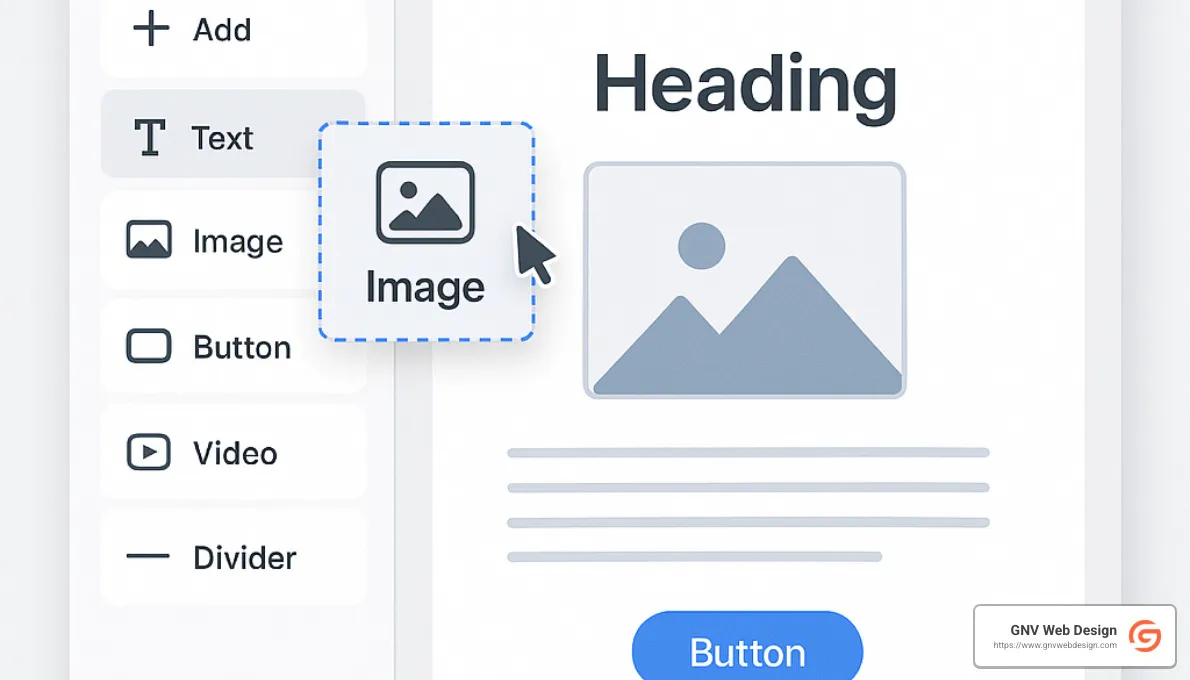
Website builders have completely transformed how small businesses approach web design. Remember the days when creating a website required coding knowledge or a hefty budget? Those days are gone!
Today's platforms offer intuitive drag-and-drop interfaces that make creating a professional-looking website accessible to nearly anyone. You can literally build a site in your pajamas over a weekend (though we don't judge your work attire).
Popular options like Wix (starting around $16/month), Squarespace (also starting at $16/month), and Webflow (from $14/month) offer professional templates that give your business an instant facelift online.
The beauty of website builders is their all-in-one approach. You're not just getting a pretty design – you're getting hosting, often a free domain for the first year, security features, and mobile-friendly designs all wrapped up in one neat package.
That said, these solutions aren't without limitations. Your site might end up looking similar to others in your industry, you might outgrow the platform as your business expands, and some builders have restrictions on SEO optimization capabilities.
I spoke with a local coffee shop owner here in Gainesville who shared: "I launched my website using Squarespace in a weekend. While I eventually upgraded to a custom site as we expanded to multiple locations, it was perfect for getting started and cost less than $200 for the entire first year."
Solution 2: Hiring Freelance Web Designers
Freelancers offer that sweet spot between DIY templates and costly agencies. They provide more customization than pre-made templates while keeping your budget intact.
Finding qualified freelancers isn't difficult – platforms like Upwork, Fiverr, and Freelancer.com are teeming with talented designers. You might even find skilled professionals through local networking groups right here in Gainesville.
When it comes to pricing, freelancers typically charge between $30-$100 per hour depending on their experience level. For complete small business websites, you're looking at project-based fees ranging from $500-$3,000. Some even offer monthly retainers ($200-$500) if you need ongoing maintenance.
"Affordable web design doesn't have to compromise on quality," explains a freelance designer I interviewed recently. "Many freelancers deliver agency-quality work without the overhead costs, passing those savings to small business clients."
The personal touch is really where freelancers shine. You're working directly with the person building your site, communication is often more direct, and turnaround times can be faster than with larger agencies. Just be sure to check portfolios, ask for references, and perhaps start with a smaller project to test the waters before committing to a full website build.
Solution 3: Purchasing Affordable Web Design Packages
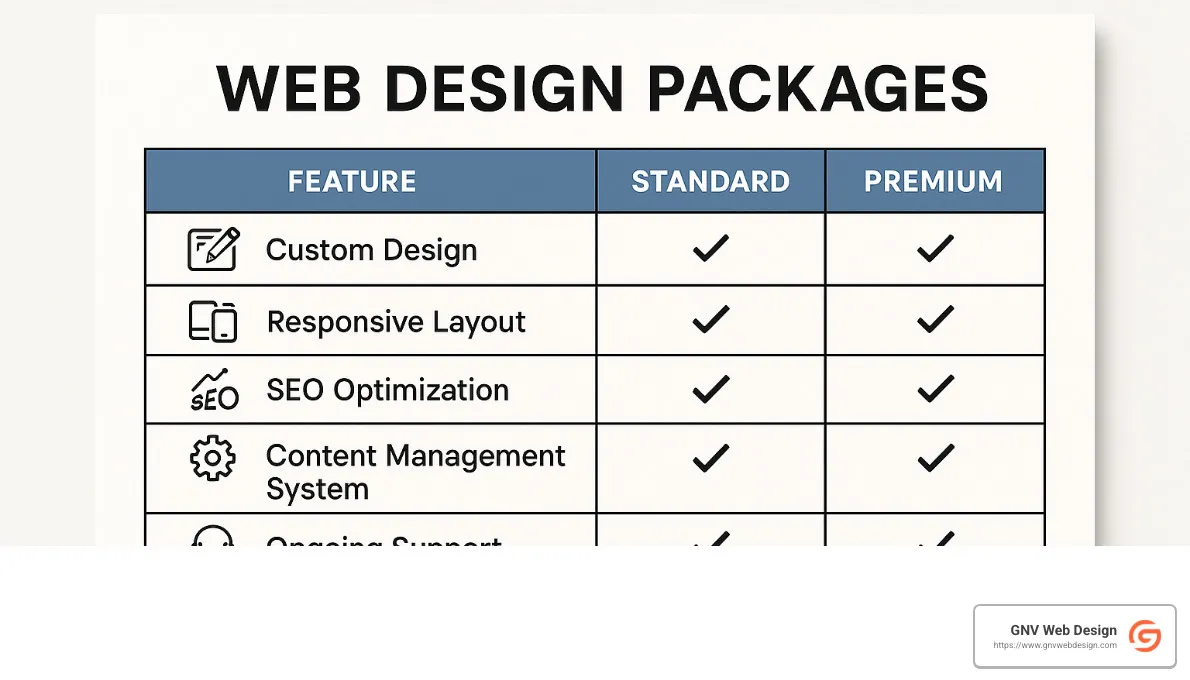
Affordable web design packages from established companies offer that perfect sweet spot between professional quality and budget-friendly pricing. These packages bundle essential services into clear tiers with transparent pricing – no surprise invoices or hidden costs.
Our research shows most affordable packages include a predictable set of features across different tiers:
| Feature | Standard Package ($399-$999) | Premium Package ($1,000-$2,500) |
|---|---|---|
| Number of Pages | 3-5 pages | 5-10+ pages |
| Mobile Responsiveness | ✓ | ✓ |
| Contact Form | Basic | Advanced with custom fields |
| SEO Setup | Basic on-page | Comprehensive with keyword research |
| Content Management | Simple updates | Full CMS access |
| Hosting & Domain | Often 1 year included | 1+ years with premium hosting |
| Maintenance | Limited | Regular updates & support |
| Turnaround Time | 2-4 weeks | 4-6 weeks |
The real advantage here is knowing exactly what you're getting and for how much. Many providers even offer payment plans to make these packages more accessible for businesses with tight cash flow.
I recently chatted with a small business owner who told me: "After several failed DIY attempts, I invested in a basic web design package for $799. The site paid for itself within three months through new customer inquiries, something my DIY site never achieved."
When evaluating these packages, look beyond just the price tag. Ask important questions about website ownership, ongoing costs, how revisions are handled, and whether you'll receive training to manage your site after launch.
Solution 4: GNV Web Design's Affordable Packages
At GNV Web Design, we've crafted our affordable packages specifically with Florida small businesses in mind. We serve Gainesville, Jacksonville, Tampa, Tallahassee, Ocala and beyond with a simple philosophy: professional quality shouldn't require emptying your business savings account.
Our small business packages start with our Starter Package ($999) which includes a 5-page responsive website, basic SEO setup, contact forms, and a full year of hosting. Need something more robust? Our Growth Package ($1,799) expands to 10 pages with comprehensive SEO, business directory listings, social media integration, and premium hosting.
For businesses selling products online, our E-commerce Essentials ($2,499) package sets up a complete online store with up to 50 products, secure payment processing, inventory management, and advanced SEO to help customers find you.
What makes us different? For starters, we don't nickel-and-dime you with revision limits during development. We also offer truly local support – being Gainesville-based means we understand the local market and can even meet face-to-face. Every site we build is optimized for search engines from day one, and we guarantee 24-hour response times to all client communications.
A local restaurant owner who worked with us shared: "GNV Web Design built our website for about half what other companies quoted. The site looks professional, loads quickly, and most importantly, has increased our online orders by 32% in the first three months." Results like that are why we love what we do!
Solution 5: DIY with WordPress and Affordable Themes
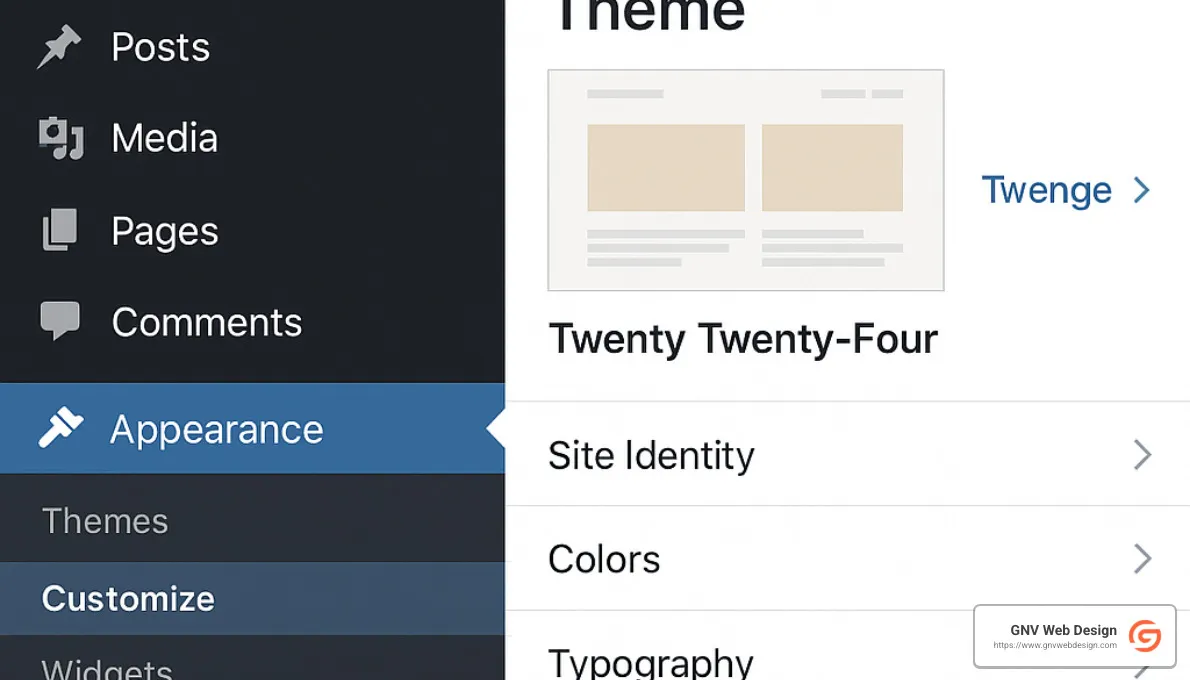
For those business owners who enjoy rolling up their sleeves and have some technical curiosity, WordPress offers an excellent balance of affordability and flexibility. It's not just popular – it powers over 40% of all websites online for good reason.
Going the DIY WordPress route typically involves purchasing hosting ($5-15/month from providers like SiteGround or Bluehost), registering a domain ($10-15/year), installing WordPress (usually free with one-click installation), selecting a premium theme ($30-100 one-time purchase), and adding essential plugins (free to $50/year each for premium options).
All told, your first-year cost runs approximately $150-500 depending on your choices – significantly less than many other options while offering remarkable flexibility.
The biggest advantage of WordPress is its remarkable scalability. Your site can start as a simple business card website and eventually grow into a sophisticated e-commerce platform without rebuilding from scratch. That's powerful!
Premium themes like Divi ($89/year or $249 lifetime), Astra (free base theme with Pro version at $49/year), or OceanWP (free base with Pro at $39/year) offer drag-and-drop editing that makes customization much more approachable than traditional coding.
The learning curve is the primary challenge with this approach. While not rocket science, WordPress does require some time investment to understand fully. Fortunately, there's an abundance of online tutorials, forums, and YouTube videos that make the learning process accessible to most motivated business owners.
Whichever solution you choose, the most important thing is getting started. An imperfect website that exists will always outperform the perfect website that never gets built!
Key Features to Look for in Affordable Web Design Packages
When shopping for affordable web design packages, it's easy to get impressd by low prices without understanding what you're actually getting. As someone who's helped countless small businesses steer these waters, I can tell you that knowing which features truly matter will save you headaches down the road.
Mobile Responsiveness
Remember the last time you tried to use a website on your phone and had to pinch and zoom just to read the text? Frustrating, right? With over half of all web traffic now coming from mobile devices, a responsive website isn't just nice to have—it's absolutely essential.
Your website should look great and function perfectly whether someone's viewing it on a smartphone, tablet, or desktop computer. Mobile responsiveness directly impacts how visitors experience your site, and consequently, how likely they are to become customers.
Google now prioritizes mobile-friendly sites in search results too, so this feature directly affects your visibility online. The good news is that most affordable web design packages include responsive design as standard these days—but always double-check rather than assuming.
SEO-Friendly Structure
Even the most beautiful website won't help your business if no one can find it. That's why SEO-friendly structure is perhaps the most valuable component of any web design package.
A properly optimized website can achieve up to 70% more organic traffic than one that ignores SEO basics. Look for packages that include essential elements like proper heading structure, SEO-friendly URLs, image optimization with alt tags, and schema markup for local businesses.
The best affordable web design packages will also set up your Google Analytics and Search Console accounts, giving you insights into how people find and use your site. These tools are free but incredibly powerful when properly implemented from the start.
Hosting and Maintenance
Think of web hosting as your website's home. Just like with real estate, location and quality matter! Many affordable packages include hosting for the first year, which can be a great value—if it's good hosting.
Ask questions about what type of hosting is provided, where the servers are located, and what uptime guarantees come with it. A server that's down even 1% of the time means your site is unavailable for more than 3.5 days each year!
Equally important is ongoing maintenance. Websites aren't "set it and forget it" tools—they need regular updates to stay secure and functional. As one developer I interviewed put it: "A website launch involves over 75 critical steps to meet all Google guidelines. Ongoing maintenance is what preserves that initial investment."
Look for packages that include regular software updates, security monitoring, backup systems, and responsive technical support. These features might seem invisible, but they're what keep your website running smoothly behind the scenes.
Security Features
Website security isn't the most exciting topic until something goes wrong—then it becomes the only topic that matters. A security breach can devastate a small business, damaging both your reputation and bottom line.
At minimum, your affordable web design package should include an SSL certificate (that's what puts the "https://" in your web address). This feature alone can cost $10-$300 per year if purchased separately.
Other essential security features include firewall protection, malware scanning, regular security updates, and secure handling of forms and customer data. These protections aren't just technical niceties—they're fundamental safeguards for your business and customers.
Content Management System
Being able to update your own website content is incredibly liberating. Need to change your hours, add a new team member, or update a product description? A good content management system (CMS) lets you handle these tasks yourself, without waiting for (or paying) a developer.
The best affordable web design packages include not just the CMS itself but also training on how to use it, documentation for reference, and support for when you need a helping hand. Platforms like WordPress, Wix, and Squarespace offer intuitive interfaces that most business owners can learn quickly.
Performance Optimization
Have you ever left a website because it took too long to load? You're not alone. According to GTmetrix research, a 1-second delay in page load time can reduce conversions by up to 7%. That means a slow website is literally costing you customers.
Look for affordable web design packages that include performance optimization features like image compression, caching implementation, and code minification. These technical elements often separate truly valuable packages from those that only focus on surface-level design.
A well-optimized website not only provides a better user experience but also performs better in search rankings, as Google now considers page speed as a ranking factor. The investment in performance optimization pays dividends through improved visitor retention and conversion rates.
When you're comparing different options, the goal isn't finding the cheapest package—it's finding the package that delivers the most value for your specific business needs. The right affordable web design package will help your business grow online without breaking the bank.
How to Choose the Right Affordable Web Design Solution
Selecting the perfect web design solution requires balancing your current needs with future growth potential. Here's a systematic approach to making this important decision.
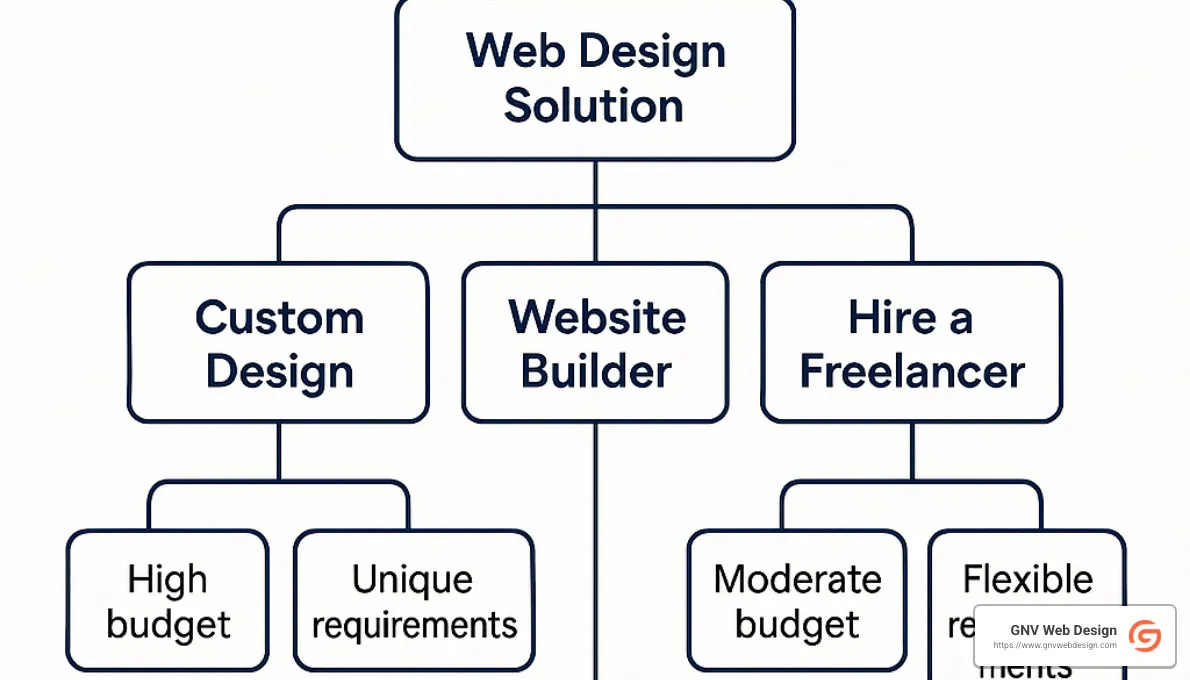
Step 1: Define Your Website Goals and Requirements
Before you start comparing pricing and features, take a moment to clearly define what you actually need. Think about the primary purpose of your website – are you mainly focused on generating leads, providing information, or selling products online?
Every business has different needs. A local coffee shop might need a simple site with location details and a menu, while a boutique clothing store would require robust e-commerce capabilities. Write down your must-have features, content requirements (how many pages you'll need), and any technical requirements like contact forms or payment processing.
Don't forget to consider your growth trajectory for the next few years. The affordable solution you choose should be able to grow with you, saving you from a costly rebuild down the road.
Step 2: Establish a Realistic Budget
When it comes to website budgets, the cheapest option upfront isn't always the most affordable in the long run. I've seen this scenario play out countless times with small business owners who end up spending more fixing a cheap website than they would have investing in the right solution from the start.
A restaurant owner in Tampa shared this exact experience: "I initially chose the cheapest website option at $399, but ended up spending another $1,200 fixing issues and adding features the basic package didn't include. I should have started with the right solution for my needs."
Consider both the initial design costs and ongoing expenses like hosting, maintenance, and regular updates. Think about how quickly you expect to see a return on this investment – a website that generates new business regularly is worth investing a bit more in upfront.
Step 3: Compare Features Across Package Types
Now that you know what you need and what you can spend, it's time to compare options. Create a simple comparison of the solutions you're considering, focusing on five key factors:
First, match the included features against your requirements list. Second, calculate the total cost of ownership over two years, not just the initial price. Third, evaluate scalability options for when your business grows. Fourth, understand what support and maintenance is available after launch. Finally, clarify who maintains ownership and control of the finished website.
This structured approach often reveals that mid-tier packages offer the best value, providing essential features without unnecessary extras that drive up the price.
Step 4: Evaluate Provider Reputation and Portfolio
The company or person building your website matters just as much as the features they offer. For agencies or freelancers, take time to review their portfolio, focusing on projects similar to what you need. Read client testimonials, check their experience in your industry, and pay attention to how they communicate during initial consultations.
If you're considering template-based or DIY solutions, look into the community support available, how frequently the platform is updated, and what current users say about their experience.
A business coach I consulted put it perfectly: "The relationship with your web designer is as important as the technical skills they bring. Look for someone who understands your business goals, not just someone who builds websites."
Step 5: Consider Long-Term Support Needs
Your website journey doesn't end at launch – in many ways, that's just the beginning. Consider who will handle content updates when you add new products or services. Think about how technical issues will be resolved if something breaks. Plan for how you'll implement new features as your business evolves.
Affordable web design packages that include reliable ongoing support often provide better value, even if they cost slightly more initially. This is especially true for small business owners who don't have technical expertise in-house.
At GNV Web Design, we've seen how this thoughtful approach to selecting a web design solution leads to more successful outcomes for our clients. Many come to us after disappointing experiences with ultra-cheap options that ultimately cost more in lost business opportunities and frustration.
The right affordable solution balances quality, functionality, and support in a package that makes sense for your specific business needs – not just your budget. Taking the time to work through these five steps will help you make a decision you'll be happy with for years to come.
Frequently Asked Questions About Affordable Web Design Packages
What Is Included in Affordable Web Design Packages?
Affordable web design packages typically include several core components, though specifics vary by provider:
Standard Inclusions:
- Website design and development (3-10 pages)
- Mobile responsive layout
- Basic contact form
- Social media integration
- Domain name (often for 1 year)
- Hosting (often for 1 year)
- SSL certificate for security
- Basic SEO setup
Sometimes Included:
- Logo design or basic branding
- Content creation assistance
- Stock photography
- Google Analytics setup
- Email account setup
- Basic training on content management
Rarely Included in Basic Packages:
- Advanced e-commerce functionality
- Custom application development
- Extensive SEO campaigns
- Ongoing content creation
- Marketing automation integration
A web designer we interviewed explained: "The key difference between affordable and premium packages is usually customization depth and ongoing support. Affordable packages offer excellent value but typically use more standardized approaches to keep costs down."
For most small businesses, standard affordable packages provide sufficient functionality to establish an effective online presence. Additional features can often be added incrementally as your business grows.
How Do Affordable Packages Compare to Custom Web Design?
Understanding the differences between affordable packages and fully custom web design helps set realistic expectations:
| Aspect | Affordable Packages ($500-$2,500) | Custom Web Design ($5,000-$20,000+) |
|---|---|---|
| Design Process | Often template-based with customization | Built from scratch to specifications |
| Uniqueness | Semi-custom appearance | Completely unique design |
| Timeline | 2-6 weeks typical | 2-6 months typical |
| Functionality | Standard features with some customization | Fully customized functionality |
| Scalability | May require rebuild for major changes | Built with scalability in mind |
| Support | Often limited or package-based | Usually more comprehensive |
Many small businesses find that affordable packages meet 80-90% of their needs at 20-30% of the cost of fully custom solutions. The key is determining which 10-20% of missing features (if any) are truly essential to your business goals.
A Florida-based retail shop owner shared: "We started with an affordable package at $1,500 and it served us well for three years. When we expanded to multiple locations, we invested in a custom solution, but the affordable package gave us time to grow into that need."
Are There Any Limitations with Affordable Web Design Solutions?
While affordable web design packages offer excellent value, it's important to understand their potential limitations:
Design Flexibility Constraints
Affordable solutions often work within established design frameworks or templates. While these can be customized with your colors, logo, and content, there may be limitations to structural changes or unique layout requirements.
Scalability Considerations
Some affordable solutions may require significant reworking if your business needs change dramatically. For example, adding e-commerce to a basic informational site might require a platform change rather than a simple addition.
Ongoing Costs
Be aware of renewal costs for:
- Domain registration ($10-20/year)
- Hosting ($60-300/year)
- SSL certificates (sometimes included with hosting)
- Maintenance plans ($200-1,200/year)
- Software licenses and plugins ($0-500/year)
These costs exist with any website solution but may not be prominently featured in initial package pricing.
Support Limitations
Affordable packages may offer limited support hours or channels. Understand exactly what support is included:
- How quickly will questions be answered?
- Is support provided by phone, email, or chat?
- Are there limits to the number of support requests?
- What issues are covered vs. considered "out of scope"?
SEO and Marketing Integration
Basic SEO setup is very different from ongoing SEO campaigns. Affordable packages typically include foundational elements but not continuous optimization or content creation.
A website with basic SEO is like having a car with gas in the tank. It's ready to go, but someone still needs to drive it to reach destinations.
Despite these limitations, affordable web design solutions remain an excellent choice for most small businesses. The key is understanding what you're getting and ensuring it aligns with your specific needs and expectations.
Conclusion: Finding the Right Balance of Affordability and Quality
Creating an effective online presence doesn't have to empty your bank account. The good news is that affordable web design packages have come a long way, giving small businesses access to websites that not only look professional but actually drive real business results.
Throughout this guide, we've explored various options that balance cost with quality. The truth is, your website is much more than just a digital business card—it's often your first impression, your 24/7 salesperson, and for many customers, the deciding factor in whether they'll do business with you.
When searching for the right web design solution, remember to start with your goals rather than a price point. What do you need your website to accomplish? Generate leads? Sell products? Build credibility? Understanding these objectives will help you invest wisely rather than simply finding the cheapest option.
Look beyond just the initial price tag when comparing options. A $500 website might seem attractive until you realize it lacks essential features that will cost you another $1,000 to add later. Consider the total investment over 2-3 years, including hosting, maintenance, and necessary updates.
No matter which solution you choose, certain elements should be non-negotiable. Mobile responsiveness is absolutely essential in today's smartphone-dominated world. Basic SEO setup ensures customers can actually find you. Security features protect both you and your visitors. And a user-friendly content management system lets you keep information fresh without ongoing developer costs.
There's also something to be said for working with local experts. At GNV Web Design, we've helped countless Florida businesses create effective websites that drive real results. As a Gainesville-based company, we understand the unique needs of businesses in our region, from Jacksonville to Tampa, Tallahassee to Ocala. Our clients tell us they appreciate having someone local who understands their market and is available when they need help.
Perhaps most importantly, choose a solution that can grow with your business. The website that perfectly suits your needs today might become limiting as your business expands. Planning for scalability from the beginning can save you from costly rebuilds down the road.
Your website isn't just an expense—it's an investment in your business's future. The right affordable solution should deliver measurable returns through increased leads, better customer engagement, and stronger brand credibility.
Whether you choose our services at GNV Web Design or another solution, the most important thing is taking action. In today's digital marketplace, having no website (or an outdated one) puts your business at a significant disadvantage compared to competitors with strong online presences.
Ready to explore your options? We'd love to help. Contact us for a free consultation to discuss how we can help your business establish an effective online presence that fits your budget while delivering the results you need. We believe every small business deserves a great website—without the premium price tag.

